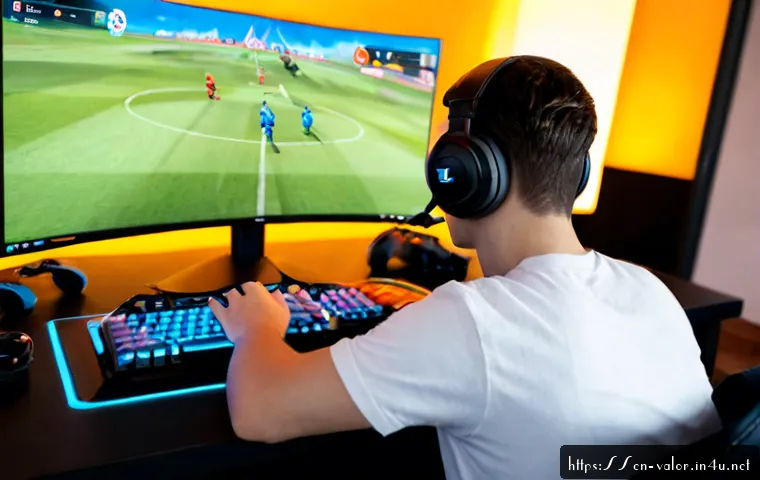
Useful Valorant content starts by matching the format to the player’s immediate goal: learn fundamentals, make a purchase decision, adapt to an update, or simply watch entertaining plays.

Beginners benefit from clear mechanics guides, ranked players need practical decision frameworks, and creators need reliable workflows for clips and updates.
Free guides and deliberate practice can cover many needs before a player considers coaching or new gaming gear. When spending is relevant, compare features, compatibility, support, and total cost rather than expecting a guaranteed improvement.
Because Valorant changes through updates, patch-sensitive advice should always be reviewed before players act on it.
At a Glance
- New players: Start with short guides on crosshair placement, economy, communication, and one agent role.
- Ranked players: Use role-specific reviews, map utility breakdowns, and current patch explanations to make better match decisions.
- Creators: Build clips and guides around questions players already ask, then choose recording and editing tools based on workflow needs.
| Player Need | Best Starting Resource | When a Paid Option May Be Relevant | What to Check First |
|---|---|---|---|
| Learning core mechanics | Free guides and a focused practice routine | When feedback is needed on specific habits | Current patch relevance, clear examples, realistic skill level |
| Improving ranked decisions | Role and map-specific content | When personalized coaching fits the player’s goal and budget | Coach approach, session format, communication style, total cost |
| Choosing gaming gear | Feature comparisons and compatibility checks | When an existing setup lacks a needed feature | Specifications, settings, return policy, support, compatibility |
| Publishing Valorant videos | Simple clip and guide workflow | When creator software saves meaningful editing time | Recording options, editing workflow, export needs, subscription terms |
What Valorant Players Need From Useful Content
Valorant is a free-to-play 5v5 tactical shooter published by Riot Games. Its matches combine precise gunplay with agent-specific abilities, so useful content should help players make a decision rather than merely repeat game terms. The strongest topic is usually the one that answers a practical question: “What should I practice?”, “Which role suits this plan?”, or “What changed for me after an update?”
Three Quick Answers for Beginners, Ranked Players, and Content Creators
Beginners need a small number of repeatable fundamentals. Start with crosshair placement, basic economy management, team communication, and utility timing. A guide becomes easier to use when it explains one action, one reason, and one moment to apply it.
Ranked players usually need more context. They may want to compare agent roles, identify a practice priority, or understand how a patch affects familiar choices. Avoid presenting one setup or one sensitivity claim as the universal answer; individual preferences, equipment, and settings need checking.
Creators and community managers need content that is clear enough to share and easy to update. A short patch summary, a role explainer, or a focused clip review can be more useful than a long general discussion with no player action at the end.
Separate Learning Content From Highlight-Driven Entertainment
Highlights can attract attention, but a highlight alone does not always teach a repeatable decision. Label the purpose clearly. A learning post should explain positioning, communication, economy, or utility timing. An entertainment post can focus on a memorable play, reaction, or team moment without pretending that it is a complete guide.
This distinction also builds trust. Players should know whether they are watching a fun clip, a current patch discussion, or a structured improvement resource. Mixing these formats is fine, but the promise should be honest.
Choose the Right Format for Each Player Goal
Match the format to the decision a player needs to make. Short checklists work well for quick preparation, while role guides and map-specific breakdowns need more context. Keep each piece focused on a clear use case and state when the advice may not apply.
Aim, Movement, Economy, and Communication Guides
Core-mechanics content works best when it is narrow. Instead of covering every improvement topic at once, create a guide around one practice priority: crosshair placement during common engagements, economy choices before a round, or concise communication with teammates.
A practical format is: identify the situation, show the decision, explain the trade-off, and add a short reminder for the next match. This helps players use the information without being overwhelmed. It also avoids rank-shaming, which can make otherwise useful tactical shooter content less welcoming.
Agent Role Explainers and Map-Specific Utility Breakdowns
Valorant agents are organized into roles including Duelist, Controller, Initiator, and Sentinel. Role explainers should describe what a player is trying to contribute, not just list abilities. A Duelist-focused piece can discuss entry pressure and timing; a Controller guide can focus on space management; an Initiator guide can frame information and support; and a Sentinel guide can cover defensive structure.
Map-specific utility content needs a visible condition: the map, the agent, the intended team plan, and the patch context. A utility sequence may be useful in one situation but not another. Make room for alternatives, especially for solo queue players who may not have coordinated teammates.
Patch Notes Translated Into Practical Player Decisions
Patch coverage is most valuable when it turns change notes into player questions. Explain what players should review: an agent they use, a map routine, a team composition idea, or a familiar gameplay system. Do not treat patch-sensitive advice as permanent.
Use clear wording such as “check the current patch before copying this setup”. Updates can change maps, agent balance, and gameplay systems. A dated post can still be useful as background, but readers should not mistake it for current competitive guidance.
Compare Free Advice, Paid Coaching, and Gaming Gear
Players do not need to spend money to begin improving. Free resources, match reflection, and a focused practice routine can provide a solid starting point. Paid coaching, peripherals, and creator software become more relevant when they solve a specific limitation rather than when they are treated as shortcuts.
When Free Guides and Practice Routines Are Enough
Free content is often enough when a player needs basic information: how economy works, what agent roles do, why communication matters, or where crosshair placement fits into a round. The key is to choose fewer priorities and review them consistently.
A useful free-guide checklist is simple: Is the guide current? Does it identify the player situation? Does it show the reason behind the choice? Does it avoid promising a rank gain? If the answer is yes, it may be more useful than a broad, expensive option.
What to Evaluate Before Paying for Coaching
Coaching can be worth considering when a player wants feedback on specific decisions and has a clear learning goal. Before paying, compare the coach’s focus with the player’s needs. Some players may want help with communication, others with economy management, agent role decisions, or reviewing recorded matches.
Check session format, feedback style, availability, support details, and total cost. A coaching service should describe what is included without guaranteeing rank gains. Personal results vary, and no coach can remove the need for practice, patch awareness, and in-game decision-making.
Monitor, Mouse, Headset, and Recording-Tool Features That Matter
Gaming gear comparisons should begin with the existing setup. A monitor, mouse, headset, or recording tool is worth evaluating when it has a clear connection to comfort, compatibility, communication, or production workflow. Performance impact depends on specifications, settings, and compatibility, so it should not be assumed from the product category alone.
For a gaming mouse, review fit, settings options, connection requirements, and software support. For a headset, focus on comfort, microphone needs, and compatibility with the player’s setup. For a monitor, verify supported connections and relevant display settings. For recording and video-editing tools, compare capture options, editing workflow, export needs, support, and subscription terms.
Creators can use a simple purchase question: “Will this tool remove a real bottleneck in recording, editing, organizing clips, or publishing?” If the answer is unclear, a free workflow may be the better first step.

Build Trust With Accurate, Player-First Valorant Coverage
Trust comes from clear boundaries. Players are more likely to return to a guide that explains its assumptions than one that makes broad claims. State who the content is for, what patch context matters, and what the reader should verify on their own setup.
Check Patch Relevance Before Publishing Recommendations
Any recommendation involving maps, agents, balance, or gameplay systems should be reviewed against the current update. Add a visible update note when appropriate, and revisit older pages that could send readers toward outdated decisions.
This is especially important for utility breakdowns and agent recommendations. A guide can explain a durable concept, but exact applications may need revision after updates.
Avoid Guaranteed Rank Gains and One-Size-Fits-All Settings
Do not frame coaching, a new mouse, a monitor, or a settings change as a guaranteed route to better results. Players have different ranks, preferred roles, regions, budgets, and platform setups. A setting that feels comfortable for one person may not suit another.
Use comparisons rather than promises. Explain what a feature does, who may care about it, and what the buyer should confirm before spending. This creates better gaming gear content and reduces misleading sensitivity claims.
Use Clear Role, Rank, and Budget Assumptions
A player-first guide should say whether it is aimed at a beginner, a ranked squad, a solo queue player, or a creator. It should also distinguish between a no-cost option and a paid option. That context helps readers decide whether the resource matches their situation.
For example, a beginner may only need an agent-role overview, while a creator may need a recording-tool comparison. Neither choice is automatically better; the right choice depends on the goal.
Content Ideas by Player Situation
Organizing content around player situations makes it easier to build a useful editorial plan. Each category can support guides, comparison articles, short videos, or community posts without repeating the same advice.
New Players Learning Core Mechanics
Create beginner-friendly pieces such as “How economy affects round decisions,” “What each agent role contributes,” or “A simple communication checklist.” Keep terms defined, use short sections, and avoid assuming knowledge of team strategy.
Ranked Squads Improving Coordination
Ranked squads can use content about callouts, utility timing, economy conversations, and role responsibilities. Frame the topic around coordination: what information teammates need, when a plan changes, and how to discuss mistakes without blame.
Solo Queue Players Choosing Agents and Practice Priorities
Solo queue content should offer options rather than rigid team assumptions. A player can choose a practice topic based on their preferred role and identify one communication habit to improve. Agent selection content should explain the role fit and map context, while reminding readers to check current updates.
Creators Planning Clips, Guides, and Update Coverage
Creators can plan content in four lanes: fundamentals, agent roles, patch adaptation, and entertainment. A clip can lead into a short lesson; a patch note can become a practical checklist; a gear comparison can focus on recording or editing needs. This approach gives viewers a reason to save, share, or revisit the content.
Selection Criteria and Comparison Summary
Before choosing a guide, coaching service, gaming peripheral, or creator subscription, check your goal, available time, budget, patch relevance, compatibility, and total cost. Ask whether the option solves a specific problem or simply sounds appealing. Compare device specifications, return policy, support, and setup requirements before buying. For coaching, review the session structure and feedback approach. For creator software, confirm recording, editing, export, and subscription conditions on the relevant product page.
In Closing
Useful Valorant content helps players act on one clear decision. Start with free learning resources and focused practice when they match the problem. Consider coaching, gaming gear, or creator tools only after identifying what needs to change in the player’s workflow. Keep patch-sensitive advice current, and keep expectations realistic.
Useful Things to Know
1. A Riot Account is used to access Valorant and its connected services.
2. Cosmetics change visual presentation but do not provide direct competitive gameplay advantages.
3. Team communication, economy management, crosshair placement, and utility timing are common development topics.
4. Map, agent, and gameplay information may need review after updates.
Important Notes
Individual rank, preferred role, region, platform setup, and budget are not the same for every player. A peripheral, coaching service, or editing tool may be useful for one workflow and unnecessary for another. Check current specifications, compatibility, pricing, availability, patch details, and service terms before making a purchase or following a patch-specific recommendation.
Frequently Asked Questions
Q1. What type of Valorant content is most useful for new players?
A1. Start with focused guides on crosshair placement, economy management, communication, and agent roles. Content is easier to use when it explains one situation and one practical action at a time.
Q2. Is paid Valorant coaching worth the cost compared with free guides?
A2. It can be relevant when a player wants personalized feedback on a specific issue. Free guides and practice routines may be enough for core learning, so compare the coaching format, support, total cost, and learning goal before paying.
Q3. Which gaming gear upgrades are most relevant for Valorant players?
A3. Consider a monitor, mouse, headset, or recording tool only when it addresses a clear setup or workflow need. Check compatibility, specifications, settings, comfort, support, and return policy rather than expecting a guaranteed gameplay result.